| CONFIRM DESTINATION SETTING. |
|
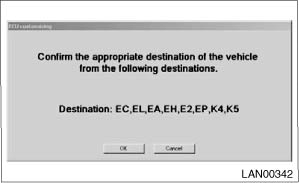
1) Connect the Subaru Select Monitor, and run the application. 2) On «Main Menu» display, select {Each System Check}. 3) On «System Selection Menu» display, select {Integ. unit mode}. 4) Select {ECM customizing} from «Integ. unit mode». 5) The vehicle destination screen is displayed.
|
| QUESTION | |
|
Is the vehicle destination setting screen displayed? | |
| Yes | No |
|
|
|
