1. Prepare the Subaru Select Monitor kit. 
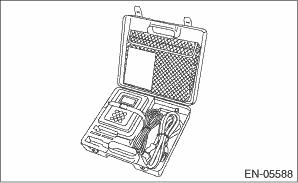
2. Prepare the personal computer which has been installed the Subaru Select Monitor.
3. Connect the SDI (Subaru Diagnostic Interface) to the PC USB port (exclusively for Subaru Selector Monitor) using a USB cable.
NOTE:
The dedicated port for the Subaru Select Monitor means the USB port which was used to install the Subaru Select Monitor.
4. Connect the diagnosis cable to the SDI.
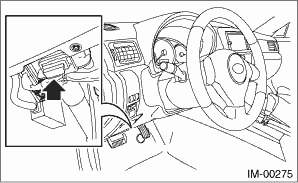
5. Connect the SDI to the data link connector located in the lower portion of the instrument panel (on the driver’s side).
6. Start the PC.
7. Turn the ignition switch to ON (engine OFF), and run the “PC application for Subaru Select Monitor”.